

- Register to Didis Plus 2. Download HESLB Tanzania Mobile App from Play Store 3. Install HESLB Tanzania App in your smart phone 4. Login 5. Confirm Payment(s)
DOWLOAD HESLB Tanzania Mobile App - On your smart phone go to Apps section and tap Play store
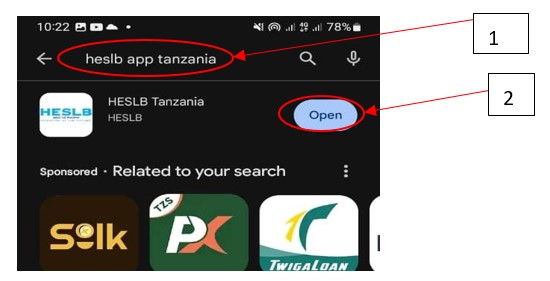
- Type “Heslb App Tanzania” on search bar
- Tap “Open” tab
The App will be installed in your cell phone
2. LOG IN
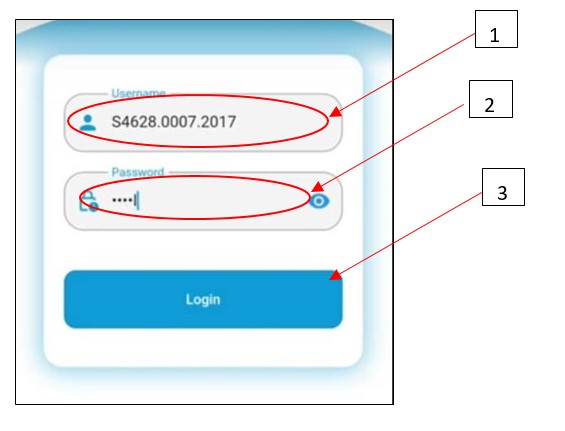
Log in using SIPA Credentials.
;">
- Enter User name (Form four indexno)
- Enter Password 3) Tap Login
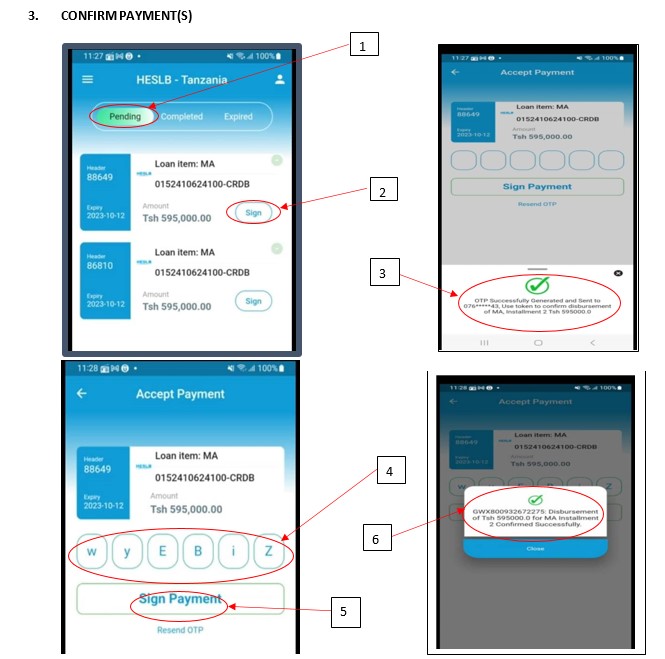
- Tap “Pending” tab
- Tap “Sign” option
- OTP will be sent to your mobile number through sms
- Enter the OTP
- Tap “Sign Payment” tab
- A message of Successfully confirmed amount will be displayed and the said amount will be credited to your account.
STUDENTS WITH NO SMART PHONE
1. LOGIN in SIPA account
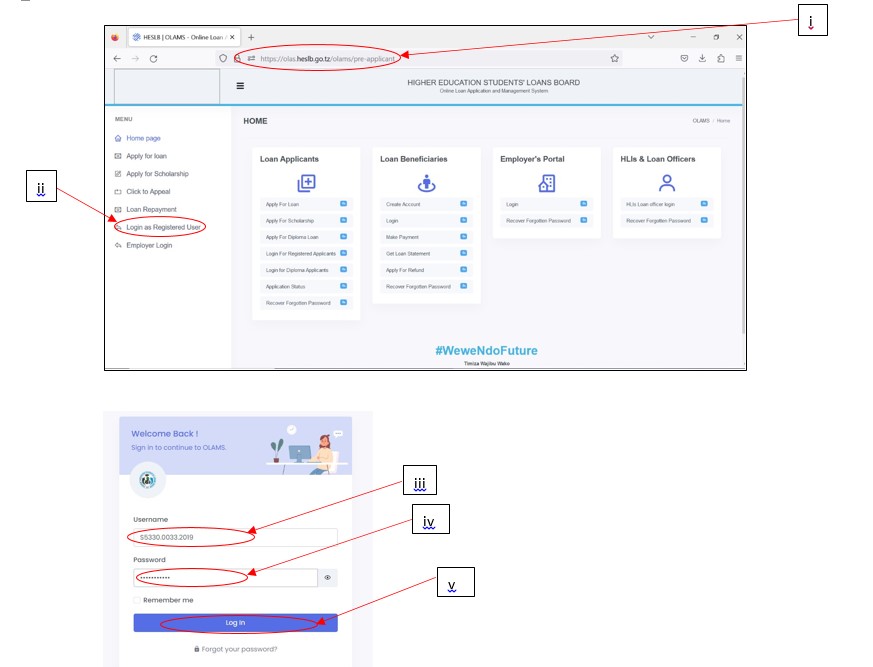
- On Address bar write: https://olas.heslb.go.tz/olams/pre–applicantj
- Click “Login as Registered User”
- Enter Username (Form four index number: S0000.0000.2020) iv. Enter Password
- v. Click “Log In” button
2. CONFIRM PAYMENT(S)
;">
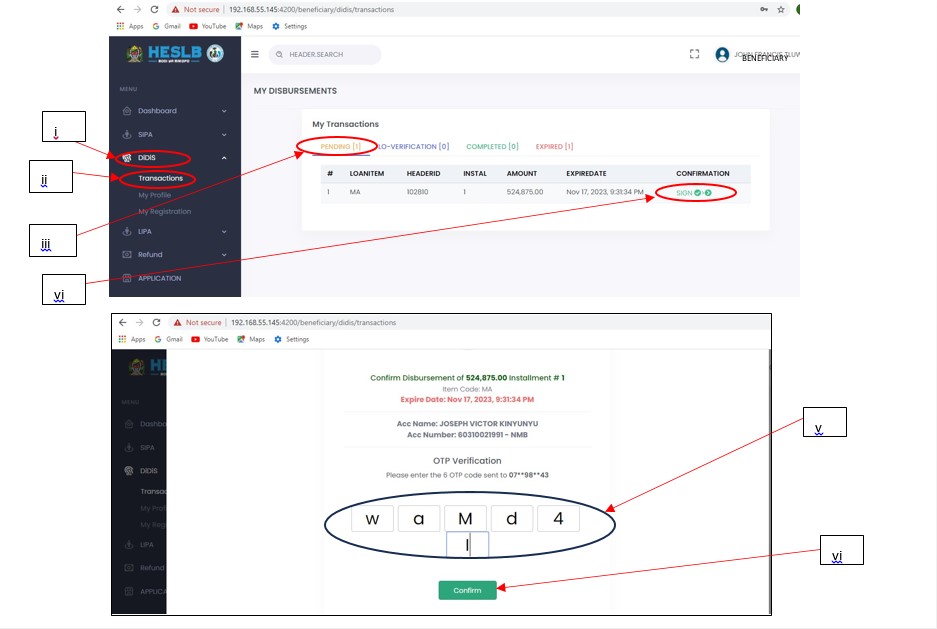
- Click “DiDiS”
- Select “Transactions”
- Click “PENDING” iv. Click “SIGN”
• You will receive OTP on your mobile number
- Enter the OTP (Its case sensitive)
- Click “Confirm” button
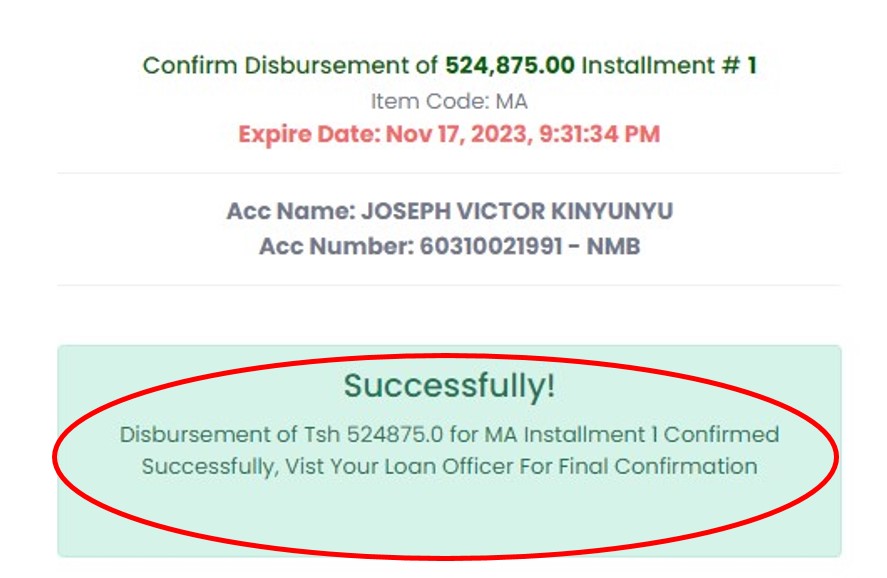
➢ Successful confirmation message will be displayed on your computer